
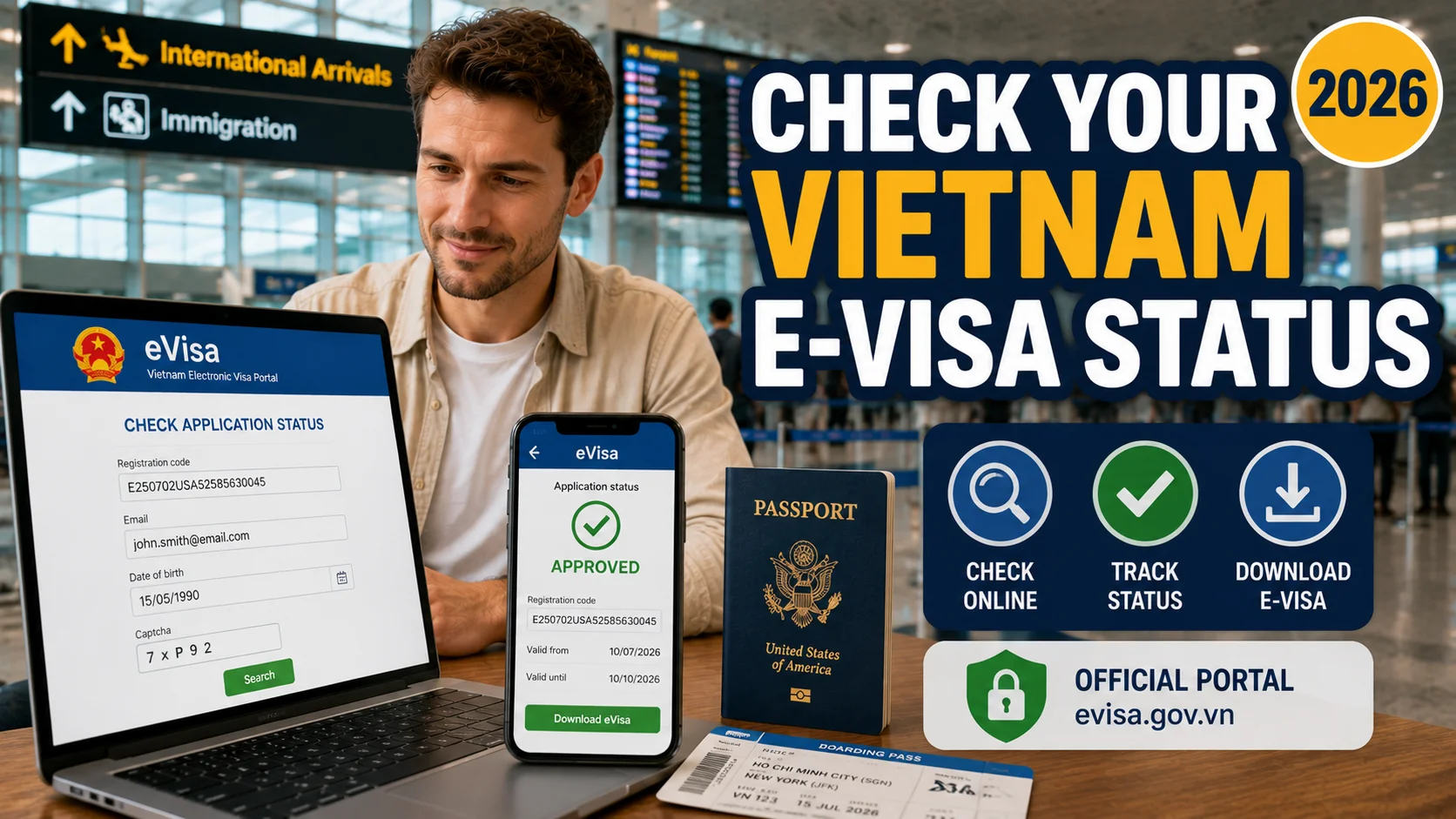
You Don’t Have to Wait Blindly
After submitting a Vietnam e-visa application, it’s natural to keep refreshing your inbox hoping for a confirmation email. The uncertainty is often the worst part — not knowing whether your application is moving normally, stuck for a specific reason, or waiting on something you haven’t noticed yet. The good news: Vietnam’s immigration system runs an official public status portal, and checking your application takes under a minute once you have the right details on hand. This guide walks through exactly how to check, what each status result actually means, and what to do if your application is stuck longer than expected.
What You’ll Need
Before you start, have these three details ready:
| Detail | Where to Find It |
|---|---|
| Registration code (also called e-visa code) | In your application confirmation email — format looks like E250702USA52585630045 |
| Email address | The exact one used when you originally submitted the application |
| Date of birth | Entered in DD/MM/YYYY format |
Important: you cannot check your status using your passport number alone. The system requires your registration code together with your email and date of birth — this is a deliberate security measure, since passport numbers alone aren’t considered sufficiently unique or private for this purpose.
Step-by-Step: How to Check Your Status
- Go to the official portal at evisa.gov.vn and select the “Search” or status-check option from the menu
- Enter your registration code exactly as it appears in your confirmation email
- Enter the email address used during your original application — it must match exactly, including capitalization in some cases
- Enter your date of birth in DD/MM/YYYY format
- Complete the CAPTCHA and click Search
- Read your result — the portal displays your current status immediately
If your visa shows as approved, you can download the PDF directly from this same page — save it, and print at least one physical copy before you travel.
What Each Status Actually Means
| Status | What It Means | What to Do |
|---|---|---|
| Submitted / Received | Your application has been logged and is in the queue | Nothing yet — this is normal in the first day or so |
| Processing / Pending | Your application is actively under review | Continue waiting if within the standard 3–5 working day window |
| Approved | Your e-visa has been granted | Download the PDF immediately and print it |
| Amendment Required / Additional Documents Requested | Something needs correcting or clarifying before approval | Check your email for specific instructions — respond promptly |
| Rejected | Your application was declined | Review the stated reason, correct the underlying issue, and reapply |
| Cancelled | The application was withdrawn or couldn’t be completed, often due to timing or unresolved discrepancies | Reapply with corrected information |
How Long Is Normal?
Standard e-visa processing is typically 3–5 working days, and a large majority of complete, error-free applications are approved within the first 3 working days of that window. If you’re still showing “Processing” past the 5-working-day mark, it’s worth checking your email carefully for any unnoticed request for additional information before assuming something has gone wrong.
A note on timing: processing runs on Vietnamese working days, so weekends and Vietnamese public holidays don’t count toward this window — an application submitted right before a long holiday period (such as Tet) will naturally take longer in calendar days, even though the working-day count hasn’t actually changed. This is one of the more common sources of unnecessary worry: an application that looks “stuck” over a long weekend is often simply waiting for the next working day to resume processing, not experiencing an actual delay.
The Most Common Reason for “Amendment Required”
This specific status is worth calling out, since it accounts for a large share of applications that don’t sail through in one pass. The most frequent causes are photo or passport scan issues — a blurry portrait, a passport data page with the ICAO lines cut off or obscured by glare, or a photo that doesn’t meet the required specifications. If you see this status, check your email for the specific document being requested, and respond with a corrected version as quickly as possible, since this typically pauses your application’s processing clock until you do.
What to Do If You’re Stuck in “Processing” and Your Flight Is Close
This is the situation where checking your status regularly actually pays off — catching a stalled application early gives you more options than discovering it the day before your flight. If your application is genuinely still processing (not rejected, not requesting amendments) and your departure date is approaching faster than standard timelines allow, an E-Visa Expedited Service accelerates the review of your existing application — this is different from submitting a brand-new one, and is generally the right next step here rather than reapplying from scratch.
Common Mistakes When Checking Your Status
Using the wrong email address. If you have multiple email accounts, it’s easy to check with the wrong one and see no result, or assume something’s gone wrong when actually you’ve simply entered incorrect login details. Double-check which email you actually used during submission.
Checking too early. Checking within the first few hours of submission rarely shows anything beyond “Submitted” — this isn’t a sign of a problem, just a normal part of the queue.
Entering the date of birth in the wrong format. Some travelers instinctively enter dates in their home country’s format (MM/DD/YYYY for US travelers, for example) rather than the DD/MM/YYYY format the portal expects, causing a failed lookup that looks like a system error but is actually a data entry issue.
Assuming “no result” means “rejected.” A failed status check due to a typo in your details looks identical to genuinely having no record — before assuming the worst, carefully re-verify every field against your original confirmation email.
Not checking your email alongside the portal. The status portal shows the current state, but any specific request for additional documents or clarification is typically communicated by email — checking only the portal without also monitoring your inbox means you might miss an actionable request.
When the Portal Itself Isn’t Working
Separate from your application’s actual status, sometimes the issue is the government portal itself being temporarily slow or unresponsive — this happens periodically, particularly during high-traffic periods. A few things worth trying before assuming your application has a problem:
- Clear your browser cache or try an incognito/private window, since a partially loaded page can sometimes display an incorrect or blank result
- Try a different browser — occasional compatibility quirks with certain browsers have been reported
- Wait a few hours and try again, particularly if you’re checking during Vietnam’s business hours when portal traffic is likely highest
- Avoid checking excessively within a short window — repeated rapid submissions of the same lookup can sometimes trigger temporary rate-limiting on the portal’s end, though this isn’t officially documented behavior
If the portal remains unresponsive across multiple attempts and several hours, this is a technical issue separate from your application’s actual processing, and generally resolves on its own without affecting your visa’s underlying status.
A Short Checklist Before You Apply (So Status-Checking Goes Smoothly Later)
A few habits at the application stage make status-checking far less stressful later:
- Save your confirmation email somewhere you won’t lose it — a dedicated folder or a screenshot backup, since losing your registration code means having to search through old emails under time pressure
- Use an email address you’ll definitely have access to while travelling, not one tied to a work account you might lose access to, or a rarely-checked secondary inbox
- Write down your exact date-of-birth format and email spelling somewhere accessible, particularly if you’re applying on behalf of family members with different birthdates to keep track of
- Bookmark the official status page directly, rather than relying on a search engine result each time, since unofficial third-party “status checker” tools sometimes exist that aren’t the actual government system
If You Applied Through a Service Like Ours
If you applied through Vietnam Visabox rather than directly through the government portal, your application is still submitted through the same official government channel — meaning you can check your status the exact same way described above, using the registration code from your confirmation email. Once your e-visa is approved, we also send the finished document to you directly, so you’re not solely relying on checking the portal yourself. If anything looks unclear or your status hasn’t moved in a while, reaching out directly is often faster than repeatedly refreshing the portal on your own.
Frequently Asked Questions
1. What information do I need to check my Vietnam e-visa status? Your registration code (from your confirmation email), the email address used during application, and your date of birth in DD/MM/YYYY format.
2. Can I check my status using just my passport number? No. The system requires your registration code together with your email and date of birth — passport number alone isn’t sufficient for a status lookup.
3. How soon after applying can I check my status? You can check anytime, but expect to see only “Submitted” for the first day or so — this is normal and doesn’t indicate a problem.
4. What does “Amendment Required” mean? It means something in your application needs correcting or clarifying, most commonly a photo or passport scan issue. Check your email for the specific request and respond promptly.
5. My status has said “Processing” for over a week — is something wrong? Not necessarily, but it’s worth checking your email carefully for any unnoticed amendment request. If your flight is close and nothing seems wrong otherwise, an expedited processing service can help accelerate the existing application.
6. What should I do if my application is rejected? Review the specific reason if provided, correct the underlying issue, and submit a fresh application — there’s typically no formal appeal process, but no mandatory waiting period before reapplying either.
7. Why does my status check keep failing to find my application? This is usually a data entry issue — double-check the email address, date format (DD/MM/YYYY), and registration code exactly as they appear in your original confirmation email.
8. If I applied through a visa service, do I check status differently? No — applications submitted through a legitimate service still go through the official government portal, so the same registration code and status-check process applies.
9. Will I be notified automatically when my status changes? Vietnam’s system doesn’t always send proactive email updates for every status change, so checking the portal directly — rather than only waiting for an email — is the more reliable approach.
10. What should I do once my e-visa shows as approved? Download the PDF immediately from the status page, save a digital copy, and print at least one physical copy to bring with your passport when you travel.
11. What if the status portal itself won’t load or seems broken? Try clearing your browser cache, using a private/incognito window, or switching browsers. If the portal remains unresponsive after several hours, this is typically a temporary technical issue unrelated to your application’s actual status.
Application Stuck and Your Flight Is Close?
If your e-visa is still processing and time is running short, we can accelerate your existing application — no need to start over.
👉 Message us on WhatsApp or by email
Need to speed up a pending application? See our E-Visa Expedited Service. Haven’t applied yet? Start with our Vietnam E-Visa page.
This article is for general informational purposes and reflects publicly available guidance current at the time of writing. The status-check process and terminology can change; always refer to the official government portal for the most current experience.
